
Features
Within My Means is a calm, private ledger for the money coming in and going out each month.
01
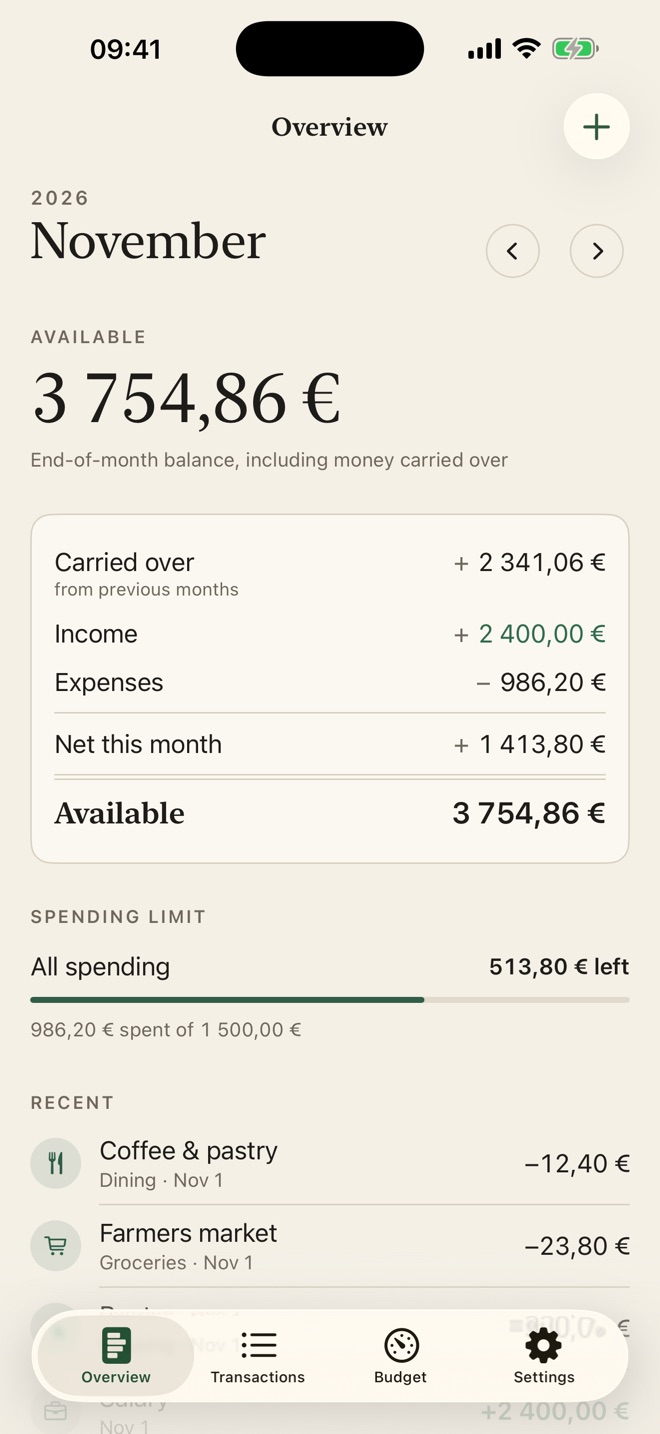
Each month at a glance
- Available balance, with what carried over, this month's income and expenses, and the net
- Move between months to look back
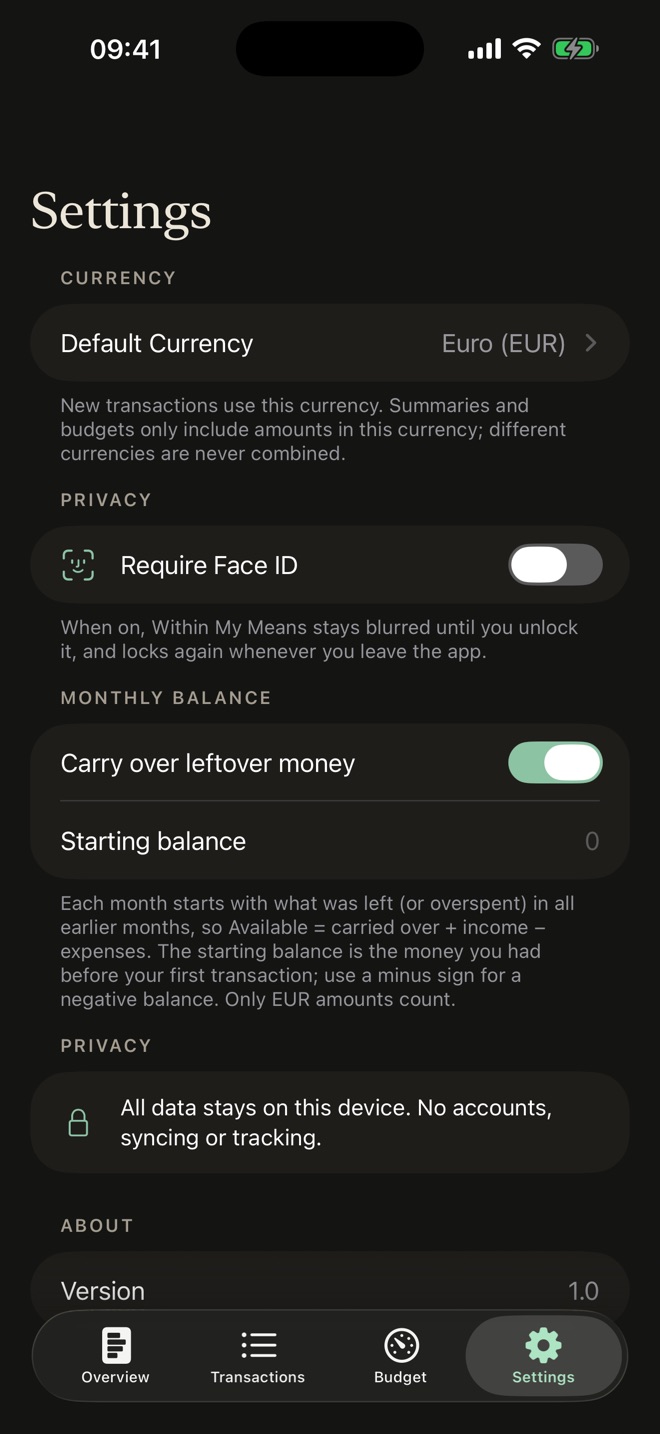
- Unspent money carries forward into the next month, and so does a shortfall. Prefer each month to stand alone? Turn it off in Settings
- Set an optional starting balance
02
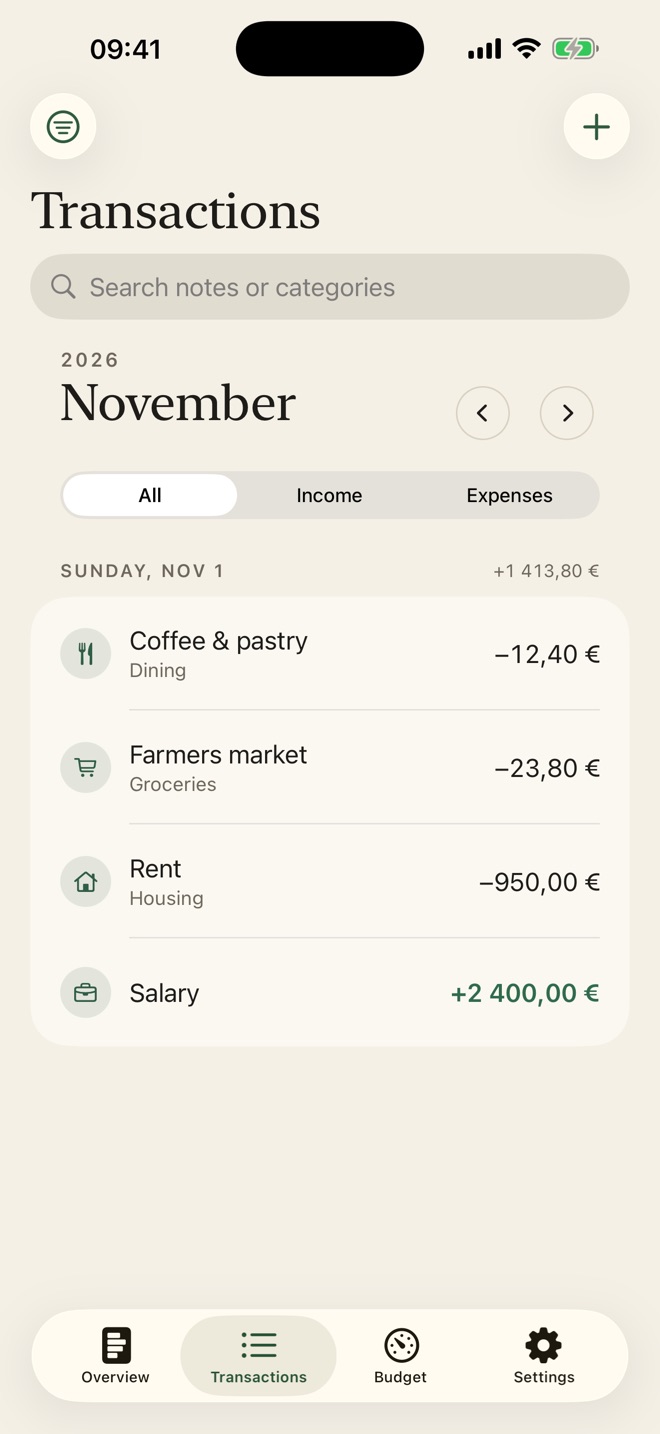
Record it in seconds
- Income or expense, amount, category, date and an optional description
- Categories include housing, utilities, groceries, dining, transport, entertainment, health, shopping, salary and more
- Browse transactions by day; filter by type, category or month, and search
- Edit or delete anything; totals update everywhere
03
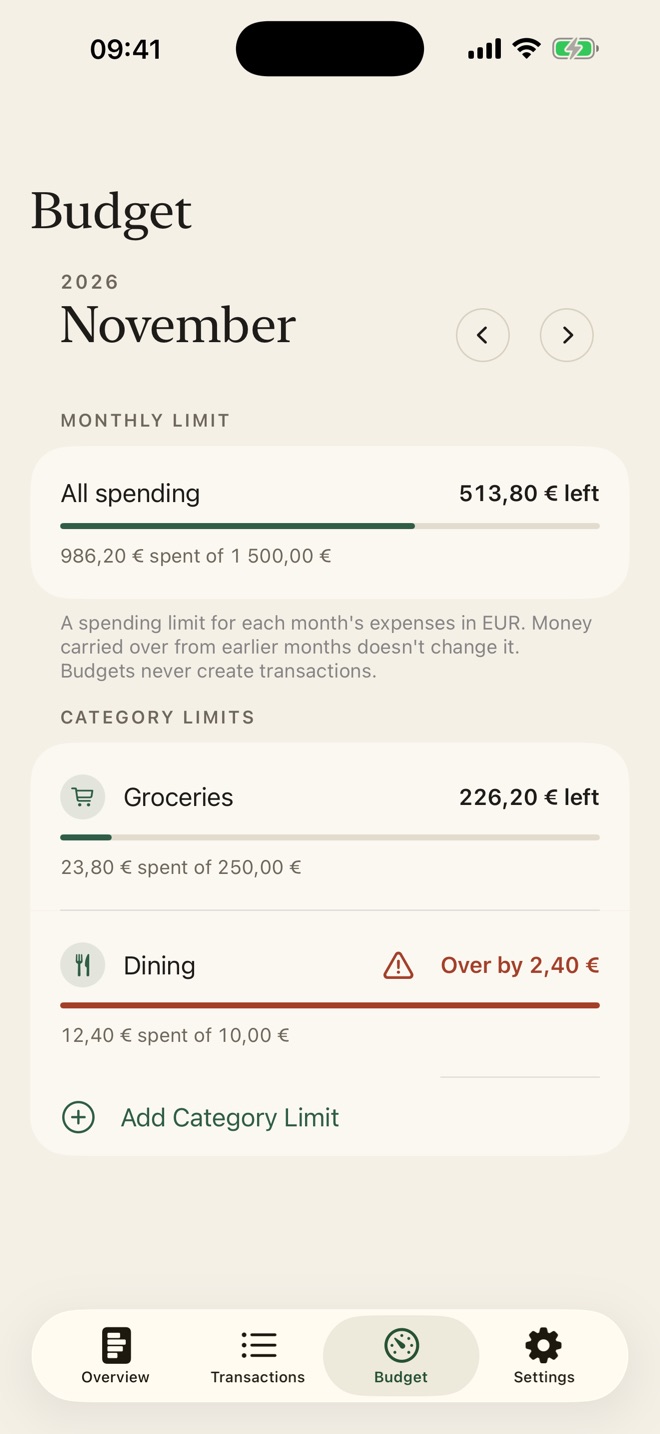
Stay on budget
- Set an overall monthly spending limit and optional limits per category
- See what's spent, what's left, and when you've gone over
04
Careful with money
- Amounts are stored as exact decimal values, not rounded floating point
- Pick a default currency; amounts in other currencies are kept and flagged, never added into the wrong total
05
Private by design
- Nothing leaves your iPhone: no bank linking, no account, no ads, no tracking
- Optional Face ID lock keeps your finances blurred until you unlock the app
Light and dark mode, Dynamic Type and VoiceOver support.
Screens
Four screens. Everything you need.
Support
Help & contact
- Do I need an account?
- No. There is no sign-in and no account. Open the app and start.
- Where is my data stored?
- Only on your iPhone. Within My Means has no servers, no cloud sync and no analytics, so nothing you enter is sent to us or anyone else.
- How does the Face ID lock work?
- Turn it on in Settings → Privacy. Within My Means then stays blurred until you unlock it with Face ID (or your passcode), and locks again when you leave the app. Face ID is handled by iOS; the app never sees your face data.
- Does it cost anything?
- No. The app is free, with no ads, subscriptions or in-app purchases.
- What happens if I delete the app?
- Deleting the app deletes its data from your iPhone. If your iPhone is backed up to iCloud or a computer, that backup may still contain the app's data, as with any app.
Need help?
Questions, bug reports or ideas: email info@saltenis.dev and include your iPhone model and iOS version if something isn't working.
We usually reply within a few working days.